Plunder
Fair shares for your crew.
Split tips by role, plan the week on a live schedule, track shifts and payouts, reconcile cash, and run bar stock counts—without fragile spreadsheets or buried formulas.
Free during beta—we’re onboarding a small number of bars.
See it in action
Daily entry, clear math, and history your crew can trust—without rebuilding a spreadsheet every night.
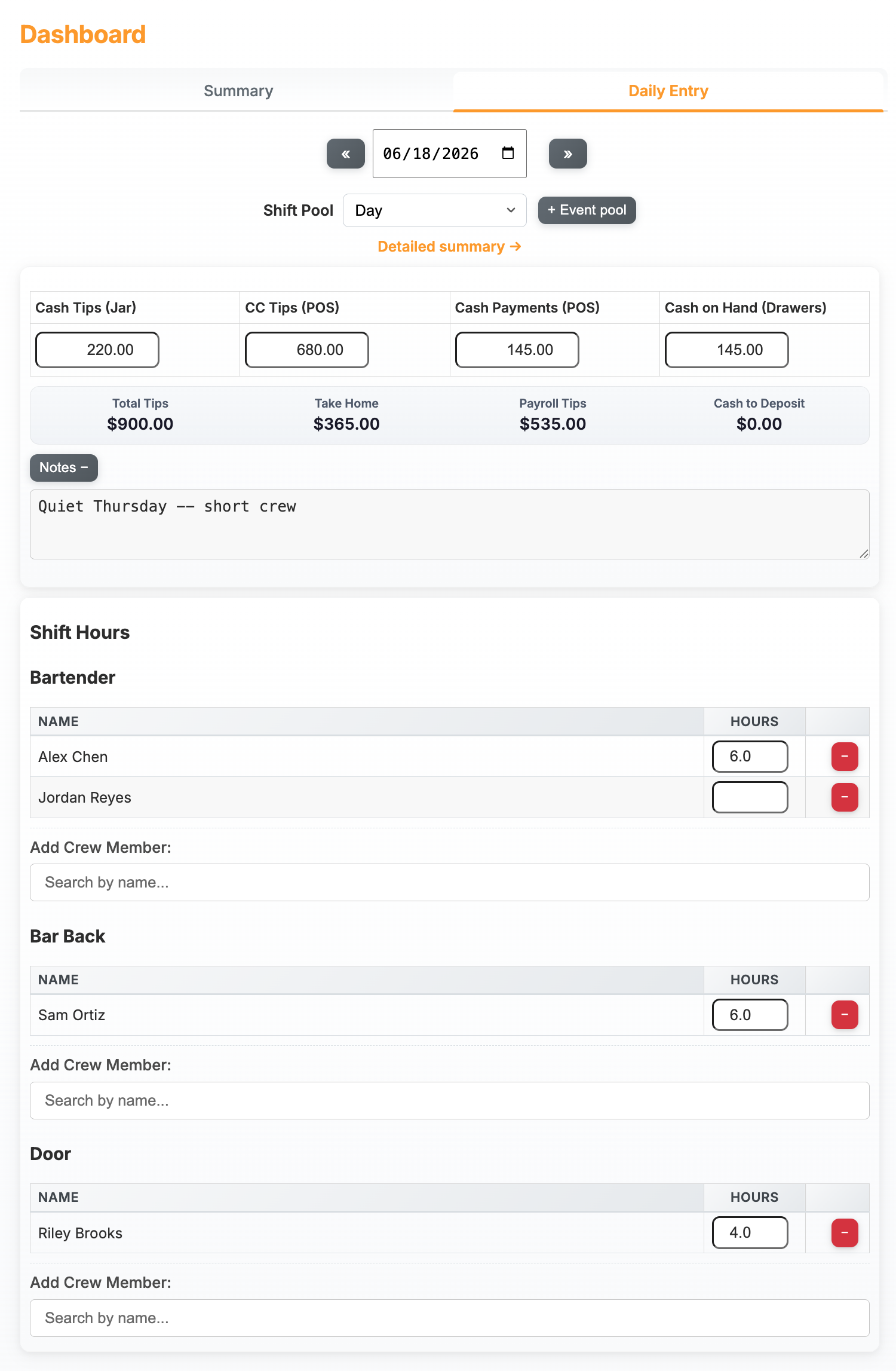
-
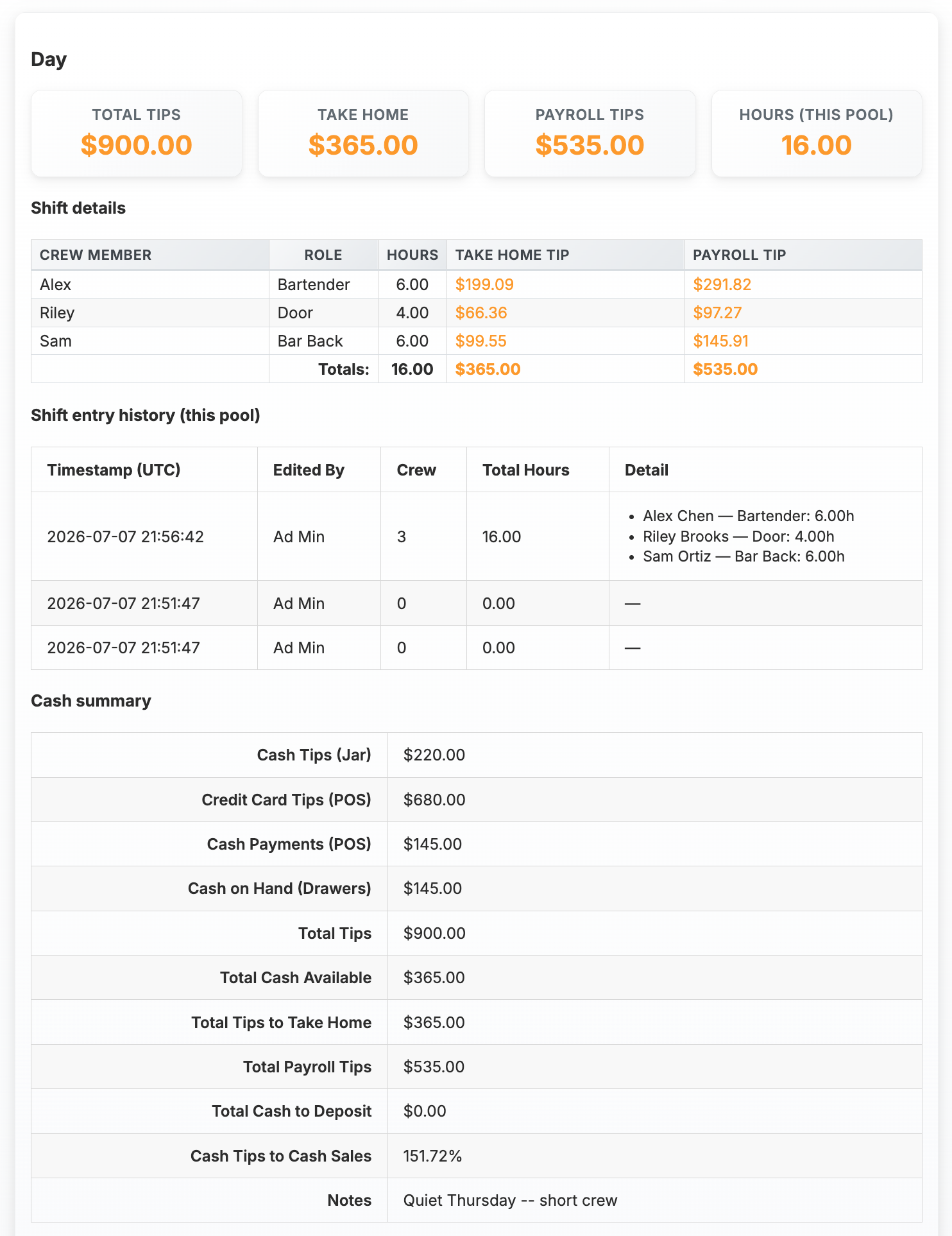
Detailed summary Everyone sees the same split—take-home and payroll side by side. -
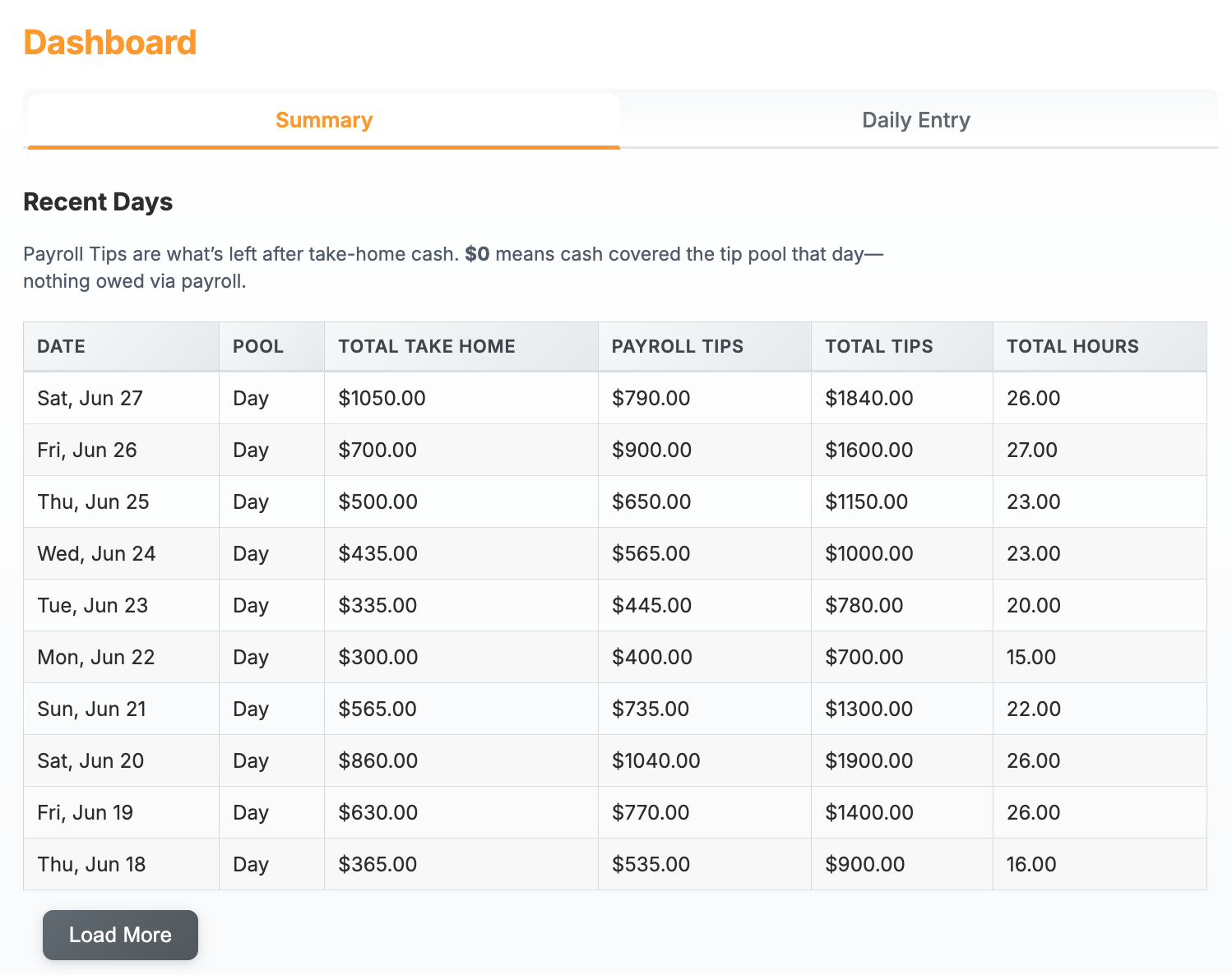
Recent days Scan the week without opening another file. -
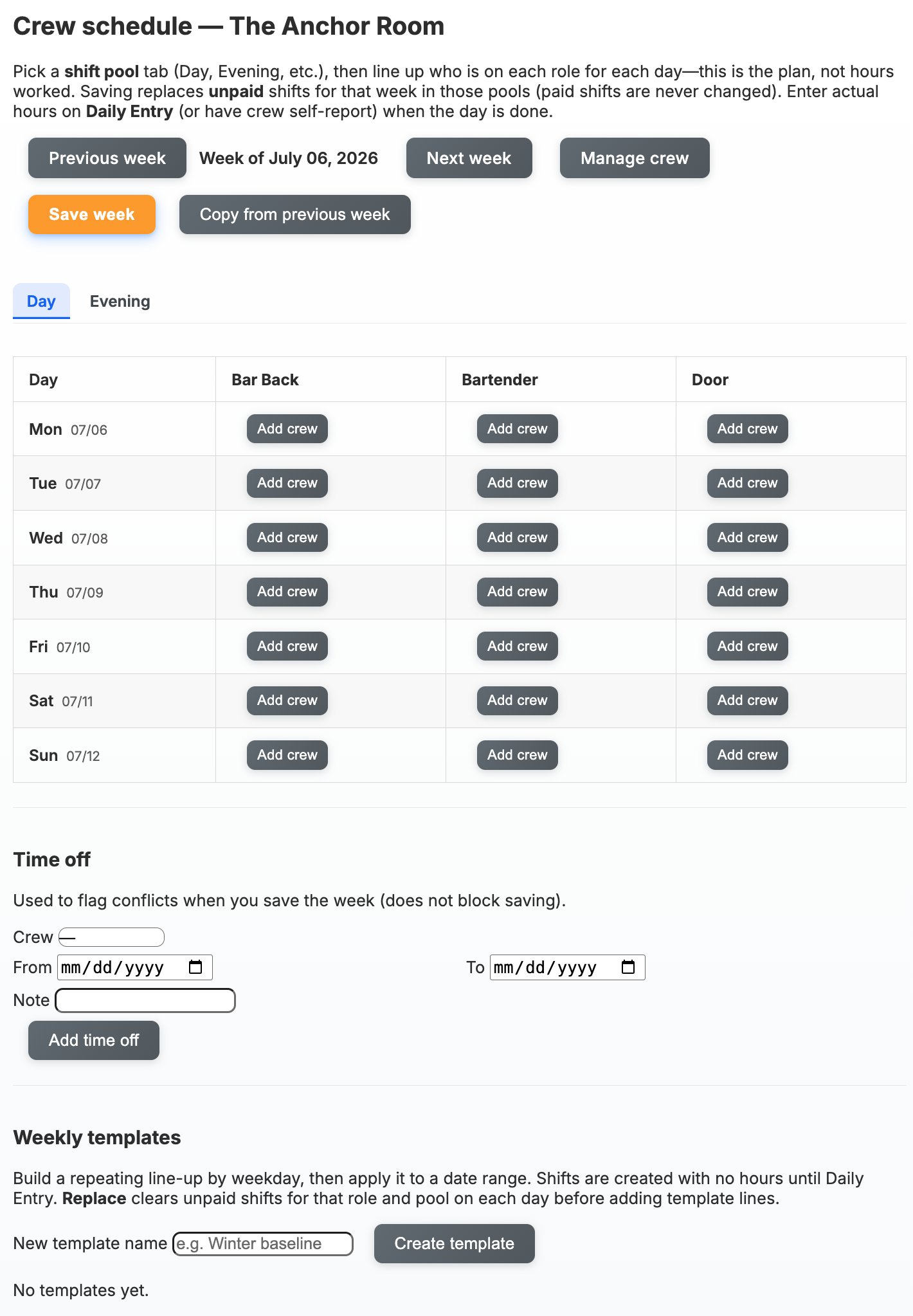
Weekly schedule Plan pools and roles before hours hit the pool.
Why not another spreadsheet?
Shared sheets work until tabs, versions, and one bad cell undermine trust. When schedule, tips, and stock live in different files, nobody has the same picture. Plunder keeps the rules in one place so splits stay consistent and the week stays legible.
- Opaque formulas References break quietly; everyone should agree on one source of truth.
- Time on re-checks Verifying splits after close adds up—especially week after week.
- Tip mistakes sting A clear record beats chasing which file was “final.”
Built for bars and crews that share
- Role-based shares Multipliers by role so responsibility maps to a fair cut.
- Weekly scheduling Plan by pool and role, use templates, track time off—shifts stay tied to how you pool.
- Shifts, payouts, history Hours, pool math, who’s been paid—auditable without rebuilding a file.
- Cash beside the pool Jar, card, and drawer in one workflow for the day.
- Bar stock counts Items, par levels, and dated counts so back-of-house lists don’t drift in another tab.
- Analytics on real data Trends from actual shifts and payouts, not exports.
- Multi-location ready Orgs, locations, and roles stay organized as you grow.
Ready to split it fairly?
Request beta access and we’ll reach out to get your crew set up.